 Urban Wulf
402 - ST GEORGE'S
City Bowl
Your stay
402 - ST GEORGE'S
City Bowl · Short stay guide
Welcome Teddy!
Check-in
15:00
Self Check in via locker
Check-out
10:00
in the apartment post box on ground floor.
House rules
No smoking indoors. Quiet hours start at 22:00. Please respect neighbouring residents.
A smoke penalty of R2500 will be issued if any proof or smell is present during cleaning.
A smoke penalty of R2500 will be issued if any proof or smell is present during cleaning.
Wi-Fi
Connect to the property network
Network name
402 Urbun Wulf
Password
••••••••
How to connect
1
Open Settings → Wi-Fi on your device
2
Select 402 Urbun Wulf from the list
3
Enter the password and tap Join
Additional info
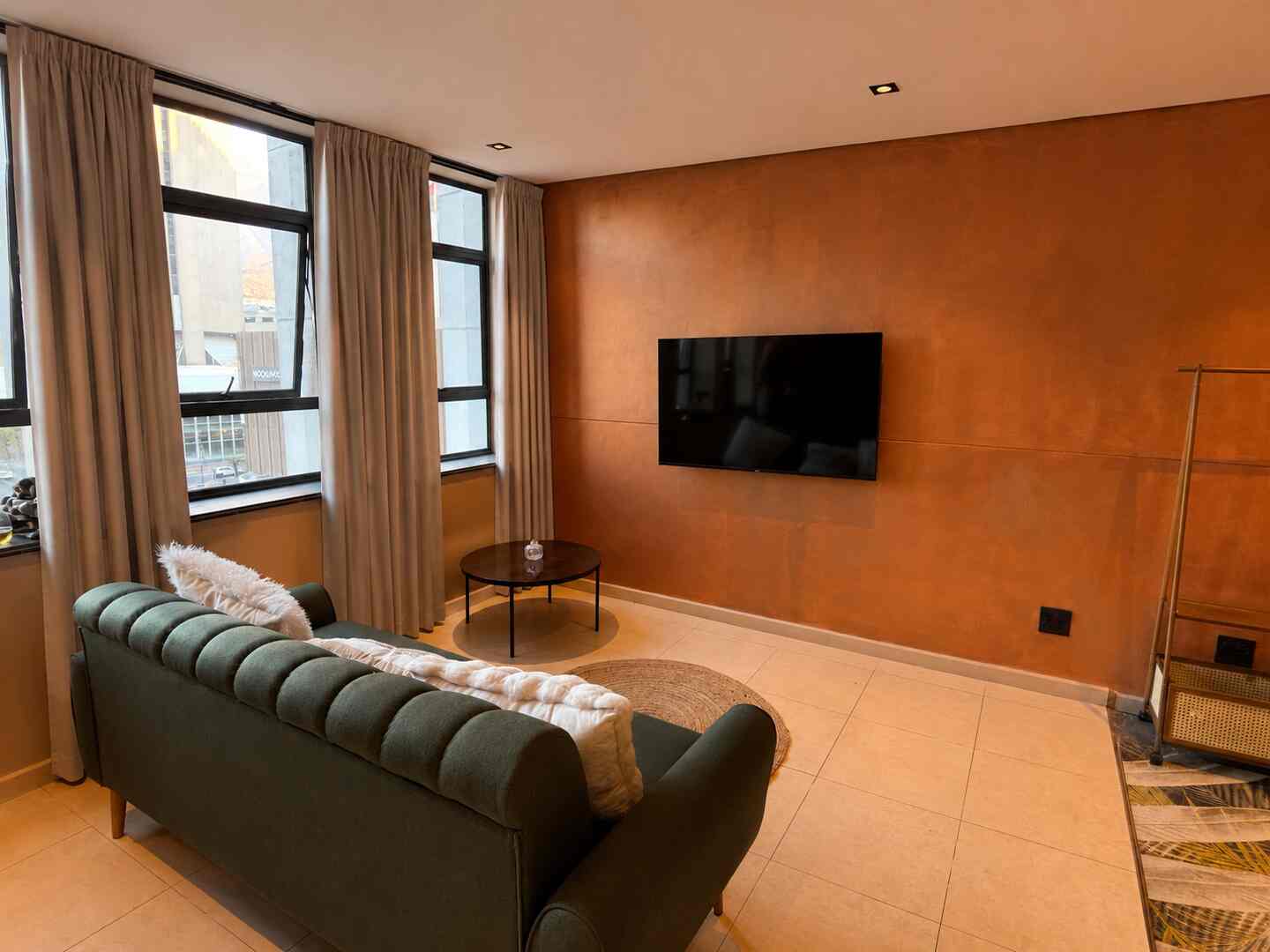
The Wi-Fi router is located behind the dining room table againts the brown wall.
If you cant connect to the Internet, please check the following:
- On the ONT (OCtotel Device) Do you see a red light?
- If no red light, confirm that all the other lights are green.
- On the TP-Link Router, ensure that you have 2 green lights.
- If no lights, check the power cable to the router.
- If all the lights are on, but you still cant connect, please switch off the main plug by the router, wait for 5min and turn it back on.
If still no connection, please message us.
If you cant connect to the Internet, please check the following:
- On the ONT (OCtotel Device) Do you see a red light?
- If no red light, confirm that all the other lights are green.
- On the TP-Link Router, ensure that you have 2 green lights.
- If no lights, check the power cable to the router.
- If all the lights are on, but you still cant connect, please switch off the main plug by the router, wait for 5min and turn it back on.
If still no connection, please message us.
Parking
Secure In-Building Parking
Allocated bay
521
Level 5 - Blue
Getting to your bay
1
You will see two fobs on the set of keys:
2
1. One grey one, which is for entrance to the main building, ground floor, and on level 5 parking in and out.
3
2. Then you will see a black fob, which gives you access to the garage Via the booms and the big silver doors
4
The big silver doors are closed from approximately 5:30 to 6 p.m. at night. You still have access via the fob internally and externally. When you come back at night and the door is closed, you will have to get out of the car and scan the fob on the center console of the two doors. There is a sensor.
Appliances
Tap any item for a quick guide
Oven
→
Pre-heat to 180°C and wait for the beep
→
Change to level 4 for general cooking
→
Change to level 7 for grill
Washing Machine
→
Use the 15min setting for normal washing
→
Add 1 tablespoon of powder - can be found in the cupboard under the kitchen basin.
TV / Apple TV
→
Use the Apple TV remote to turn on the system - Press the SUARE button a couple of time. Give it a minute to turn the tv on.
→
Use the same remote to turn off
→
If that doesn’t work, turn the TV on using the JVC remote to turn on. It should go to HDMI1 which is AppleTV.
Coffee Machine - Pods
→
Turn the machine on via the small black button on the right bottom side.
→
Lift the top silver lever to open the pod slot
→
Pop in a pod facing forward
→
Use light force to close the lever and select your size - Small = left button or large = right button.
Safety
Emergency contacts and exits
Emergency · tap to call
112
SA National Emergency Number
Fire exit
In the event of a fire, make your way to the elevator. Don’t use it, but follow the instructions on the floor.
First aid
There is a fire extinguisher in the cupboard next to the fridge.
Check-out
Your departure checklist
Checkout time
10:00
Checkout is at 10:00. Please switch off lights and appliances, return keys as instructed, and send a quick message if anything needs attention.
Before you go
Secure keys back into the key box
Please ensure all lights are off
Report any issues you had during your stay.
Tick off each item before you leave
Need Help?
We're here for you
Kitchen cupboard doors are “push to open” all of them are top right corner or top left depending on side of the door.
Your host
Urban Wulf
Typically replies within 30 min
Local Guide
Neighbourhood favourites
restaurant photo
Gold Restaurant
African fusion · Long St · 0.3 km
Pan-African dining experience. Book ahead for weekends.
restaurant photo
Bocca
Italian · Heritage Square · 0.2 km
Wood-fired pizza and pasta. Great terrace seating.
restaurant photo
La Petite Tarte
French café · Bree St · 0.3 km
Best croissants in the CBD. Opens at 7am.
coffee shop photo
Truth Coffee Roasting
Specialty espresso · Buitenkant St · 0.5 km
Steampunk roastery voted world's best café. A must.
coffee shop photo
Origin Coffee Roasting
Third wave · Bree St · 0.3 km
Exceptional single-origin pour-overs and flat whites.
coffee shop photo
Rosetta Roastery
Specialty coffee · Kloof St · 0.8 km
Laid-back space with great latte art and light bites.
venue photo
The Gin Bar
Craft gin · Bree St · 0.3 km
200+ craft gins. Brilliant cocktails from 5pm.
venue photo
The Piano Bar
Jazz & cocktails · Heritage Square · 0.2 km
Live jazz most nights. Sophisticated, intimate setting.
venue photo
Fiction Bar
Late night · Long St · 0.4 km
Cape Town's favourite late-night dance bar. Fri/Sat from 10pm.
Services
Optional add-ons and support
Let us know if you need anything specific. We can always try!
Urban Wulf
Digital guest experience platform